
Designest: AI Home Design
AstronexHouse & Home
4.248.00 Reviews
- Version
- 1.2.0
- Installs
- 500.00K
- Age Rating
- Everyone
Screenshots
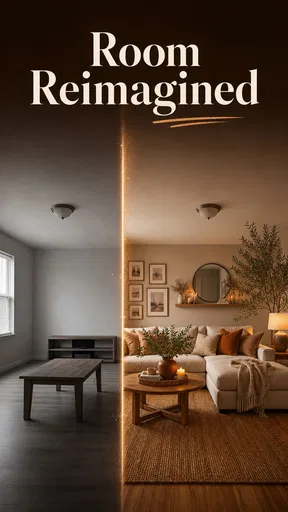
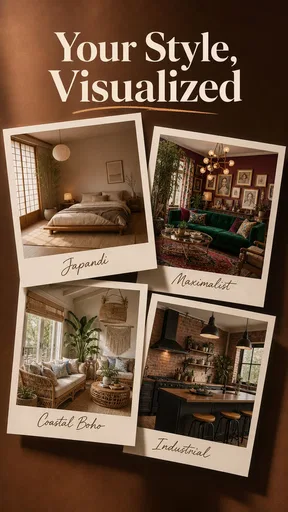

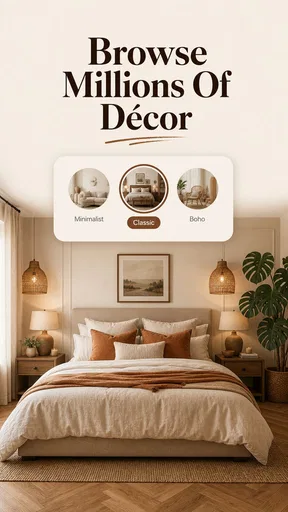
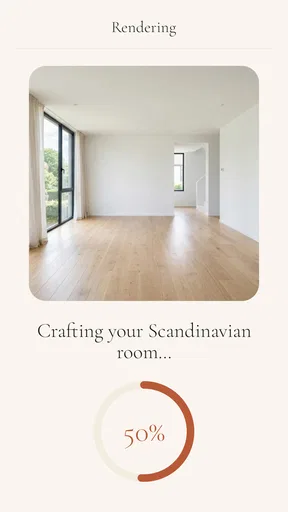
Our Review of Designest: AI Home Design
 Analysis by Appyee
I tried Designest: AI Home Design as a practical way to explore house ideas before committing to sketches, furniture shopping, or a renovation conversation. It sits in the House & Home category and comes from Astronex, with a clear focus on AI-assisted design, room layouts, and renovation inspiration. My first impression was that it works best as a visual thinking tool rather than a replacement for an architect, interior designer, or detailed planning program.
That distinction matters. When I have a vague idea such as “a brighter living room with more storage,” a visual design app can help turn that sentence into something easier to discuss. It can also expose weak ideas early. A layout that sounds sensible may look cramped once furniture, walking space, and natural light are considered. Designest is useful in that early stage, where seeing possibilities is more valuable than producing construction-ready documents.
The app is free to install, carries an Everyone age rating, and has attracted over 100 thousand installs. Its average rating is 4.0 from around 600 ratings, which suggests a generally positive reception without implying that every user will have the same experience. The current version is 1.2.0, and it runs on Android 8.0 or later. There are also optional in-app purchases priced from $4.99 to $14.99 per item, so I would treat the free experience as a way to test the workflow before paying for anything.
How I used Designest from a rough idea to a usable room concept
I found it useful to treat the first design as a draft, not a verdict: I checked whether it reflected the room’s purpose before deciding what to change. That small pause helps separate a brief that needs clarification from a concept that simply does not suit my home. Next, I look at a few setup checks that make the initial exploration more focused.
Start with one room and one clear goal
The most reliable way to use the app is not to begin with an entire dream house. I got better results by choosing one space and defining its main problem first. For example, a small living room might need better circulation, a home office corner, or more visual warmth. Keeping the request focused makes the output easier to judge because I am comparing it against a specific purpose rather than admiring a collection of attractive but impractical images.
I would begin by describing the room in ordinary language, then identify the style I actually want to live with. “Calm, easy to clean, and suitable for a family” is more useful to me than simply asking for a fashionable interior. If the app produces several appealing directions, I can then narrow the choices by considering color, furniture density, storage, and how the room should feel at different times of day.
This is where the app feels more approachable than traditional design software. Conventional floor-plan tools often ask users to understand measurements, symbols, layers, and furniture libraries before they can see anything meaningful. Designest is better suited to the person who has a renovation idea but does not want to learn a technical drawing system first.
A realistic everyday scenario
Imagine that I am preparing to move into a new apartment and have a sofa, a dining table, and a desk already in mind. Instead of buying everything immediately, I can use the app to explore how those priorities might coexist in one open-plan room. I would test a layout with the desk near a wall, another that gives the dining area more space, and a third that leaves a clearer route from the entrance to the kitchen.
The useful part is not choosing the prettiest result. It is noticing trade-offs. A room can look spacious because the design removes storage. A clean composition can depend on furniture that would be expensive or difficult to find. A dramatic color scheme may look good on screen but become tiring in a room used every day. I use the generated concepts as prompts for questions, not as instructions to purchase everything shown.
For renovation planning, I would save the most convincing visual direction and write down what it does not answer: electrical points, plumbing, structural walls, window positions, heating, ventilation, and exact dimensions. That list keeps the app in its proper role. It helps me communicate taste and priorities, while a qualified professional remains responsible for technical decisions.
Settings and choices worth checking before judging the result
One habit made a noticeable difference: I stopped evaluating the first design immediately. I first checked whether the request described the room’s function, the people using it, and the atmosphere I wanted. If those details were missing, I refined the wording before deciding that the app had misunderstood me. AI design tools often reflect the quality of the brief, and a vague prompt can produce a visually polished but unsuitable room.
I also recommend separating style decisions from practical decisions. In one attempt, I focused on a warm, natural look. In a second, I concentrated on storage and open floor space. Comparing those outputs helped me see which elements were genuinely important and which were merely decorative. This two-pass approach is more useful than trying to describe every preference in one long request.
When options or controls are available, I would pay particular attention to the balance between openness and furniture density. A design with fewer objects may feel modern, but it can hide the storage problem that caused the renovation in the first place. Likewise, a room filled with attractive details may look complete while leaving no comfortable place to move, work, or clean.
The best setting is often the constraint you deliberately add. Asking for a room that must preserve a particular piece of furniture, support a specific daily habit, or remain easy to maintain gives the visual result a useful boundary. I would rather receive a less dramatic concept that respects those limits than a beautiful scene that could never work in my home.
Faster patterns for repeat use
After experimenting, I found that a repeatable workflow is more valuable than constantly starting from scratch. I would keep a short personal checklist: room purpose, people using it, essential furniture, preferred mood, storage need, and one thing that must remain unchanged. That checklist makes each new design request easier to compare and prevents me from forgetting practical details when I become distracted by colors and finishes.
Another efficient pattern is to change one variable at a time. If I alter the style, furniture arrangement, color palette, and storage request together, I cannot tell why the new result feels better or worse. Keeping the basic brief stable while changing only the layout, for example, turns the app into a simple comparison tool. The same method works when testing a lighter palette, a more compact arrangement, or a stronger separation between work and relaxation zones.
I would also use the app before shopping, not after. If I am considering a new sofa or shelving unit, I can first decide what role that item needs to play in the room. The design concept may reveal that the real issue is not a lack of furniture but a poor traffic path. That can prevent an unnecessary purchase and is one of the more practical benefits of visual experimentation.
For discussions with another person, I would prepare two or three contrasting directions rather than presenting one design as the answer. A partner may prefer a more open layout, while I may care more about storage. Showing alternatives makes the conversation concrete and exposes priorities that are difficult to explain verbally. It also reduces the risk of treating an AI-generated image as an authority.
Where the app is strong compared with usual alternatives
Compared with browsing ordinary inspiration galleries, Designest offers a more active experience. A gallery may show beautiful kitchens, bedrooms, or living rooms, but the examples are usually fixed. Here, I can begin with my own idea and use the app to explore a direction that feels closer to my situation. That makes it more useful when I know the mood I want but cannot find a ready-made example that combines all of my preferences.
Compared with professional floor-plan software, the advantage is accessibility. I do not need to begin with a technical drawing mindset. The app is more comfortable for early brainstorming, especially when the main questions are visual: Should the room feel softer or cleaner? Would darker finishes make the space feel too heavy? Does a minimalist approach leave enough room for normal life?
However, the comparison changes when accuracy becomes the priority. A dedicated planning tool is usually the better choice for exact dimensions, construction coordination, furniture clearance, and documented revisions. An interior designer is better when the project involves difficult structural choices, a complicated budget, or a need to coordinate several trades. Designest helps me decide what I like and what I want to ask for; it does not remove the need for those other tools and professionals.
Advanced limits that experienced users should understand
The biggest limitation is the gap between visual plausibility and real-world feasibility. An AI-generated room can appear perfectly arranged while ignoring details that determine whether it can actually be built or lived in. Door swings, outlet locations, awkward corners, uneven walls, radiator positions, and the true scale of furniture all deserve separate checking. I would never use an attractive image as proof that a layout fits.
There is also a risk of style drift. If I keep asking for “modern” or “luxurious” without defining what those words mean to me, the results can become generic. I get more useful outcomes by describing materials, maintenance expectations, lighting mood, and daily behavior. For example, a home with pets or young children needs a different interpretation of elegance than a rarely used formal room.
Another trade-off concerns inspiration versus decision fatigue. Generating many possibilities can be exciting at first, but too many alternatives make it harder to commit. I would set a stopping rule: keep a small number of promising directions, compare them against the original room goal, and discard anything that fails a practical requirement. The app is most helpful when it narrows thinking, not when it creates an endless stream of attractive options.
The optional purchases are another reason to establish that stopping rule before spending. Since individual in-app items range from $4.99 to $14.99, I would first confirm that the free experience suits my needs and that a paid addition solves a specific problem. Paying simply to continue browsing ideas would be difficult for me to justify; paying for a feature that supports a real design decision may make more sense.
Who should use it, and who should choose something else
I think Designest is a good fit for renters planning a refresh, homeowners collecting renovation ideas, first-time decorators, and anyone who struggles to imagine how a written concept might look. It is especially helpful for people who want to compare moods and layouts before speaking with a professional or buying furniture. The Everyone rating also makes it approachable for households exploring ideas together.
I would be more cautious about recommending it to someone who needs a measured plan, a materials schedule, or a construction document. It is also not the right first choice for a professional workflow that depends on precise files, technical collaboration, or strict version control. In those situations, a dedicated design or drafting application is more appropriate, even if it takes longer to learn.
Users who dislike experimentation may find the AI approach frustrating. The app can help generate directions, but it still requires judgment. If I want a single guaranteed answer based on exact room measurements, this is not the kind of tool I would rely on. Its value comes from exploring possibilities and improving the questions I ask.
My verdict after building a repeatable habit
Designest: AI Home Design is most convincing when I use it as a first-stage design partner. It helps me move from a loose feeling to a visual direction, compare alternatives, and identify practical questions before money or construction is involved. Astronex has positioned it in a part of the House & Home category where ease of exploration matters more than technical precision, and that focus makes sense.
I would install it for a room makeover, a furniture decision, or an early renovation conversation. I would not treat it as a substitute for measurements, professional advice, or a detailed floor-plan system. The strongest results come from a disciplined routine: define the room’s job, preserve real-life constraints, change one choice at a time, and stop when the designs answer the original question.
At no cost to start, it is easy to test whether that workflow suits me. The paid items mean I would still approach the app selectively, but the free entry point lowers the risk of trying it. My final opinion is positive with a clear condition: use Designest to think more clearly about your home, not to outsource the decisions that only your actual space can answer.
Privacy and Permissions
See what permissions an app requests and how it handles your data.
- Photos/Media/Files
- read the contents of your USB storage, modify or delete the contents of your USB storage
- Storage
- read the contents of your USB storage, modify or delete the contents of your USB storage
- Wi-Fi connection information
- view Wi-Fi connections
- Other
- view network connections, full network access, control vibration, prevent device from sleeping, set an alarm, Google Play license check
Verdict
Strengths of Designest: AI Home Design
- Creates multiple room concepts quickly from a single photo.
- Offers useful inspiration for different interior design styles.
- Helps visualize furniture and color changes before renovating.
- Simple interface makes experimentation accessible to beginners.
- Can spark ideas when planning a room makeover on a budget.
Limitations of Designest: AI Home Design
- AI results may distort windows, doors, or existing furniture.
- Some designs can look repetitive or lack practical details.
- High-quality renders or advanced features may require payment.
- Results depend heavily on clear, well-lit room photos.
- Generated layouts may ignore measurements and real-world constraints.
Other Releases by Astronex
View All
Lurnia: AI Language Tutor
Education4.5

Mitu AI: Prank Video Generator
Art & Design4.7
Similar Picks in This Category
View All
Universal TV Remote Control
CodeMatics Media Solutions3.9

AlfredCamera Home Security app
Alfred Systems Inc.4.7

Planner 5D: AI Home Design
Planner 5D4.5

Universal Tv Remote-Cast to TV
One Music Player4.1

Zillow: Homes for Sale & Rent
Zillow Group4.8

99acres Buy/Rent/Sell Property
infoedge.com4.3
Frequently Asked Questions
What is Designest: AI Home Design and how does it work?
Designest: AI Home Design is an interior-design app that uses artificial intelligence to create room concepts from photos, descriptions, or selected design preferences. After providing an image of a bedroom, living room, kitchen, or another space, users can explore redesigned versions in different styles, color palettes, and furniture arrangements. Results are intended as visual inspiration rather than exact renovation plans.
Can Designest redesign a room from a photo?
Yes, the app is primarily designed to transform an existing room photo into alternative interior concepts. For the best results, take a clear, well-lit image showing as much of the room as possible and avoid excessive clutter or blocked furniture. The generated design may change architectural details, proportions, or objects inaccurately, so users should treat the image as a creative preview instead of a guaranteed representation of what can be built.
Is Designest: AI Home Design free to download and use?
Designest may be available to download at no initial cost, but some features, styles, generations, or higher-quality results can require in-app purchases or a subscription. Pricing and included limits may vary according to the platform, location, and current version of the app. Before starting a trial or confirming payment, review the purchase screen carefully, including renewal terms and cancellation instructions.
What types of interior styles can users create with Designest?
The app is useful for experimenting with a broad selection of visual directions, such as modern, minimalist, contemporary, Scandinavian, industrial, rustic, luxurious, and traditional-inspired interiors. Available options can depend on the version and account plan. While style presets can quickly produce attractive concepts, the generated furniture, materials, lighting, and colors may not always match specific brands or products available in your area.
Does Designest provide accurate renovation advice or shopping links?
Designest is best understood as an AI visualization and inspiration tool, not a replacement for an architect, interior designer, contractor, or building inspector. Its images generally do not confirm structural safety, measurements, electrical requirements, plumbing compatibility, or realistic construction costs. If the app displays furniture or decor suggestions, verify dimensions, availability, materials, and prices independently before making purchases or beginning renovation work.
